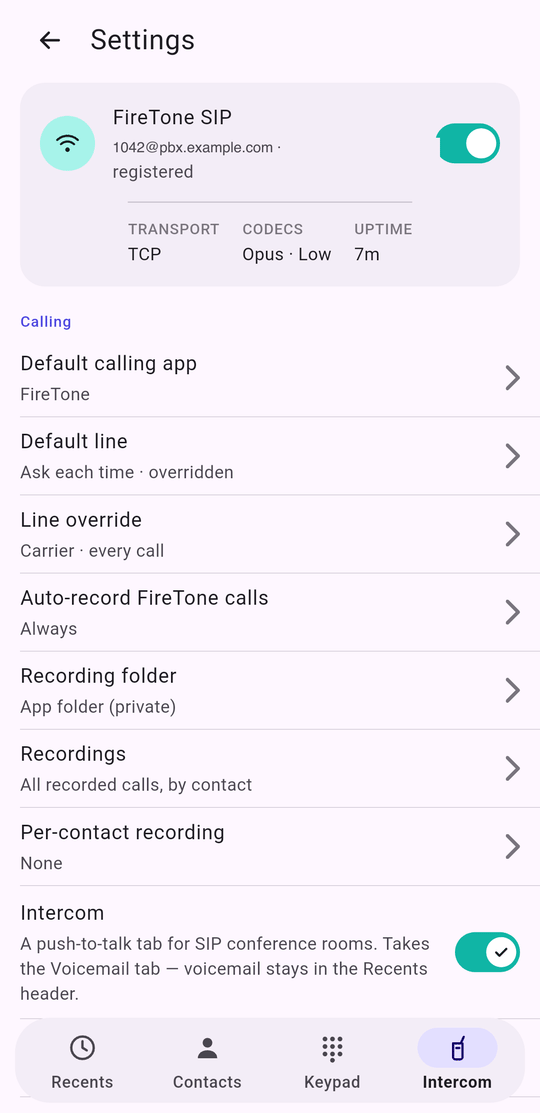
The card at the top
Tap it to open the SIP account; the switch turns the webphone on and off. Turning it on with no account takes you to setup rather than failing quietly. Under it, three figures that answer most of “is it working?”: the transport in force, the codecs actually enabled (with· Low when low-bandwidth is
on), and how long the line has been up.
Calling
The footer under this section is worth reading once: only FireTone calls are
recorded, carrier calls never are, a contact’s own setting overrides this, and
recordings stay on the phone.
App
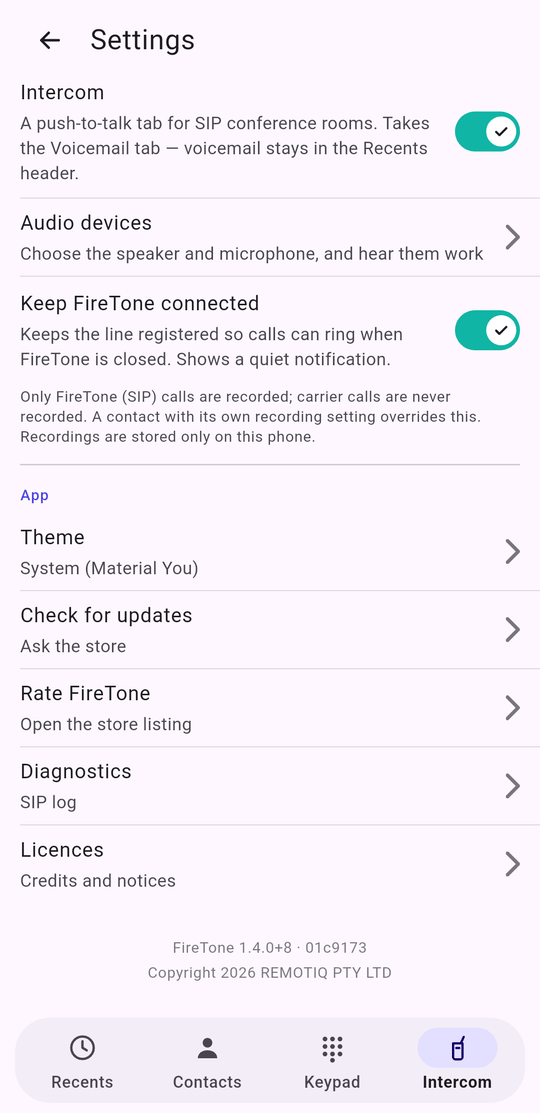
At the very bottom: the version and the exact build it came from —
FireTone 1.4.0+8 · 01c9173. Quote both when you report a fault. The commit is what
tells support which code is on your phone, and it is the one thing a version
number alone cannot say.